

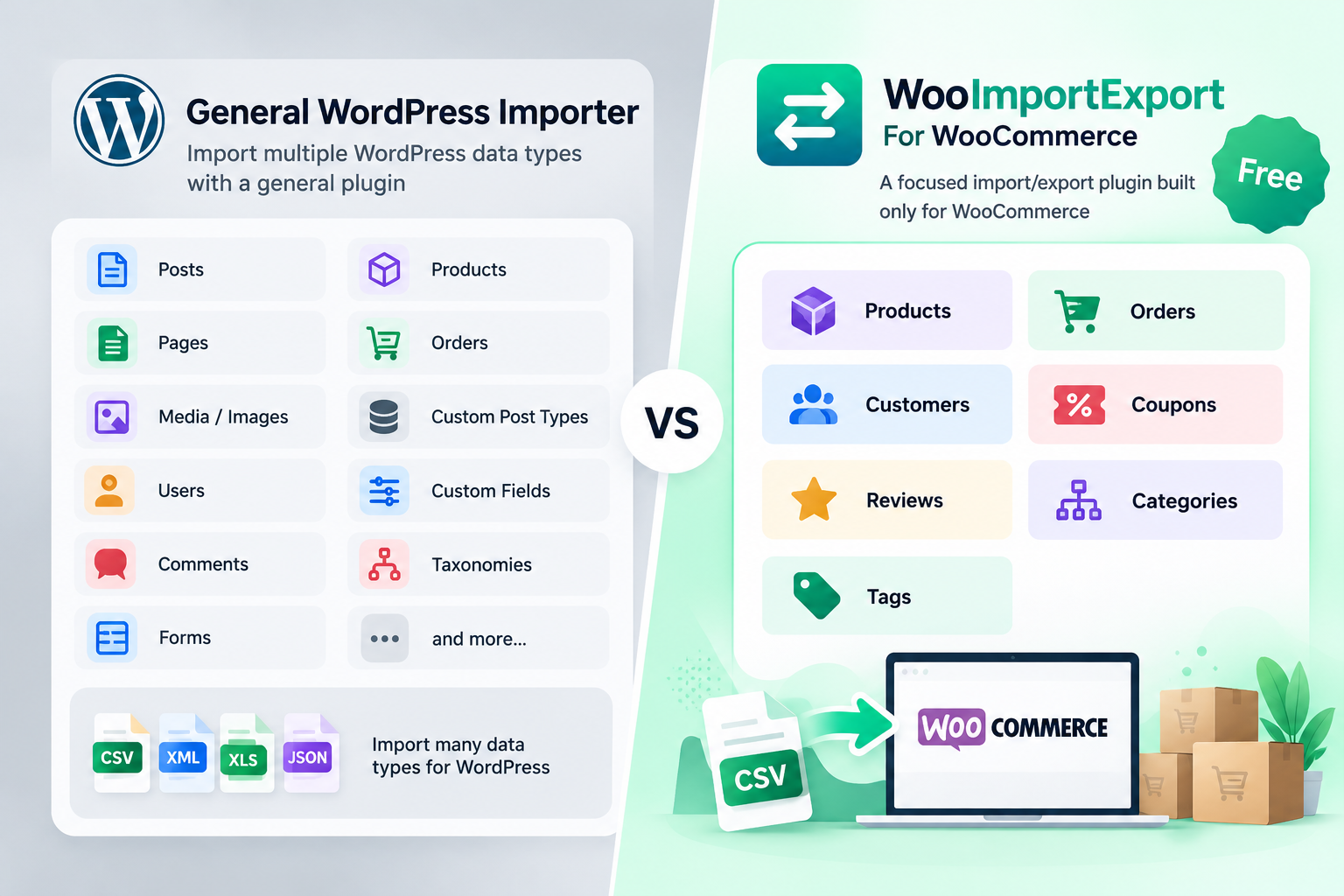

Yes. WooImportExport is a free WP All Import alternative for WooCommerce. Its free plugins on WordPress.org import and export products, orders, customers, and coupons from CSV, with column mapping and saved templates. You pay only for Excel, XML, Google Sheets, or scheduled imports. Paid plans start at $99 a year.
WP All Import has been around since 2011. It can push almost any file into almost any part of WordPress. That reach has a cost. Most WooCommerce store owners find that the free version stops short of what they need. Then they open the WP All Import pricing page and see that WooCommerce support starts at $169 a year.
This guide compares WP All Import Free, WP All Import Pro, and WooImportExport. You will see what each one costs, what each one leaves out, and how to move your existing CSV files to a new plugin.
Why WooCommerce Stores Look for a WP All Import Alternative
Store owners rarely leave WP All Import because it breaks. They leave because they pay for more than they use.
WP All Import is a general WordPress importer. It handles posts, pages, users, custom post types, and Gravity Forms entries. A store that only moves products and orders still pays for all of that.
A few things push store owners to compare options in 2026:
- The WooCommerce features sit behind a paid add-on. You need the WP All Import WooCommerce Import Add-On Pro for full variable product support, recurring imports, and file downloads from a URL.
- The license model is changing. WP All Import says it plans to switch from lifetime licenses to annual pricing. Existing licenses stay as they are, but new buyers will renew every year.
- The interface is built for any data type. The drag-and-drop screen supports XML paths and custom PHP functions. Developers like that power. A store manager who just wants to update 300 prices often finds it slow.
What Can WP All Import Free Do for WooCommerce?
The free setup comes in two parts. You install WP All Import, then the free WooCommerce add-on (listed on WordPress.org as WP All Import Product Import for WooCommerce). The add-on shows 20,000+ active installs and a 4.7 star rating.
With WP All Import free, you can:
- Import products from CSV, XML, or Excel files you upload
- Split large files into chunks, so big catalogs run on shared hosting
- Map file columns to WooCommerce fields with drag and drop
The plugin lists these features as Pro only:
- In-depth support for variable products
- External, affiliate, and grouped products
- Importing files from a URL or Google Sheets
- Cron jobs and recurring imports
- Custom PHP functions on your data
The listing also says support for free users depends on the team’s capacity. So WP All Import free works well for a one-time upload of simple products. Once you sell sizes and colors, or a supplier sends you a weekly feed, you reach the upgrade screen.
WP All Import Pricing in 2026: How Much Does WP All Import Pro Cost?
The prices below come from the official WP All Import pricing page in October 2026. Several of them include a “welcome” discount, so check the live page before you buy.
| Plan | Price | Includes WooCommerce? | What you get |
|---|---|---|---|
| Import Standalone | $99 per year | No | Import Pro only |
| Developer | $149 per year | No | Import + Export Pro, custom fields, users |
| WooCommerce Import Package | $169 per year | Yes. | Import Pro + WooCommerce Import Add-On Pro |
| Professional | $299 per year | Yes. | All add-ons, migration, manual scheduling |
| Unlimited Lifetime | $1,299 one time | Yes. | All current and future add-ons |
Every WP All Import Pro plan covers unlimited sites. Every plan also comes with a 90-day money-back guarantee. Agencies with many client stores get real value from that.
Watch the Developer plan, though. It costs $149, but it does not include WooCommerce. To import products, orders, and customers, you need the WooCommerce Import Package at $169 or the Professional plan at $299.
Do You Need the WP All Import WooCommerce Import Add-On Pro?
The WP All Import WooCommerce Import Add-On Pro does not run on its own. It needs WP All Import Pro installed first. Bought separately, the pair costs about $198 a year, which is why the $169 package exists.
Buy the add-on if you import variable products, pull a supplier feed from a URL, or want imports to repeat on a schedule. If you only import simple products once, the free add-on can handle it.
WP All Import vs WooImportExport: Side-by-Side Comparison
Here is how the free and paid versions of both plugins compare for a WooCommerce store.
| Feature | WP All Import Free | WP All Import Pro + Woo Add-On | WooImportExport Free | WooImportExport Pro |
|---|---|---|---|---|
| Starting price | $0 | $169 per year | $0 | $99 per year |
| Sites covered | Unlimited | Unlimited | Unlimited | 1, 5, or 25 by plan |
| WooCommerce data types | Products | Products, orders, customers, reviews, coupons | All 7 types (three free plugins) | All 7 types in one plugin |
| Variable products | Basic | Full support | Yes. | Yes. |
| File formats | CSV, XML, Excel | CSV, XML, Excel, Google Sheets | CSV | CSV, XLSX, XML, TSV, Google Sheets |
| Import from URL, FTP, or SFTP | No | Yes. | No | Yes. |
| Scheduled imports | No | Yes. | No | Hourly, daily, weekly, or monthly |
| Column mapping and saved templates | Yes. | Yes. | Yes. | Yes. |
| ACF and custom meta fields | No | Professional plan | No | Yes. |
| Support | Not guaranteed | Email support | WordPress.org forum | Priority support |
| Refund window | Not applicable | 90 days | Not applicable | 30 days |
Why WooImportExport Works as a WP All Import Alternative
WooImportExport does one job. It moves WooCommerce data in and out of your store. You can see the full list on the WooImportExport features page.
It covers every WooCommerce data type
The free version ships as three focused plugins on WordPress.org. One handles products, reviews, categories, and tags. One handles orders and coupons. One handles customers and WordPress users. Install only the ones you need.
The Pro version puts all seven data types in one plugin. It also adds a bundle option, so you can export or import a whole store in a single run.
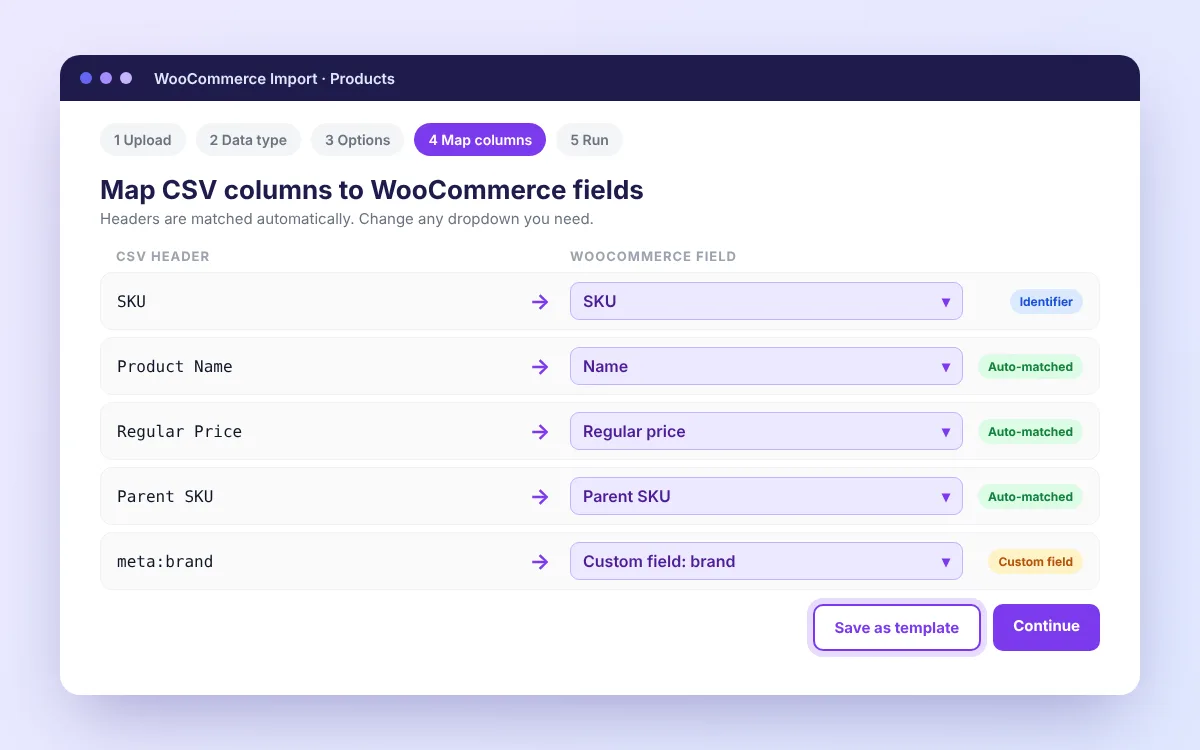
Column mapping reads your headers for you.
Mapping is where most imports go wrong. WooImportExport cleans up header names before it matches them. It turns spaces and hyphens into underscores and lowercases everything. So “Regular Price,” “regular price,” and “REGULAR_PRICE” all land in the same field.
It also accepts both naming styles. “Name” and “post_title” map to the same place. Columns that start with “meta:” go straight into custom fields. Once you finish mapping, save it as a template and reuse it next week. The column mapping guide shows each step.
Scheduled jobs without a lifetime license
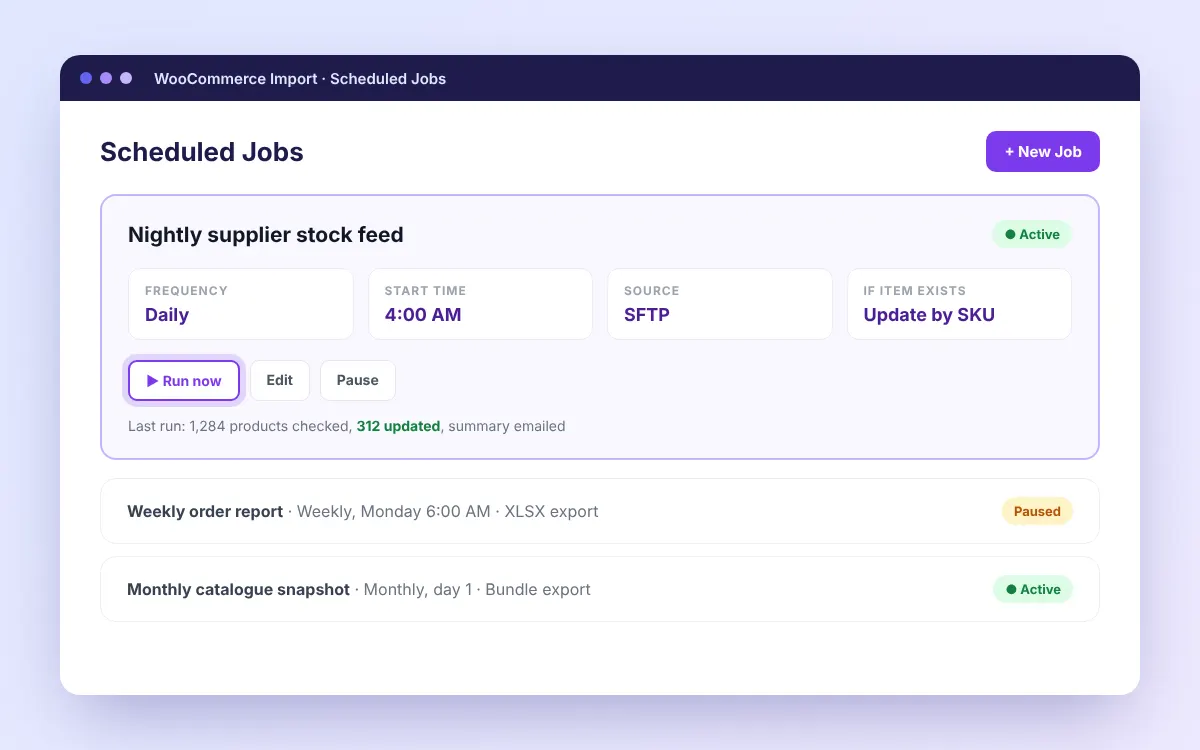
WooImportExport Pro runs imports and exports on a timer. Pick hourly, daily, weekly, or monthly. Pull the file from a URL, FTP, FTPS, SFTP, or Google Sheets. Set a notification email, and the plugin sends you a summary after each run.
A common setup is a nightly stock feed. The job pulls a supplier file over SFTP at 4 AM and updates products by SKU. The scheduled jobs guide explains how to set up a real server cron so jobs run on time.
Lower cost for a single store
WooImportExport Pro costs $99 a year for one site, $159 for five sites, and $229 for 25 sites. Every plan includes every feature. You only pay for the number of sites.
If your license lapses, the plugin keeps working. You lose new updates and support until you renew. A single store pays $70 less per year than the WP All Import WooCommerce Import Package, and $200 less than the Professional plan.
When WP All Import Pro Is Still the Better Buy
A fair comparison needs this section. WP All Import Pro is the stronger pick in some cases:
- You import into many post types, not only WooCommerce. Think real estate listings, job boards, or directories.
- You work with complex XML feeds and need XPath or custom PHP functions to reshape the data.
- You run 30 or more client sites. Unlimited sites on every WP All Import plan can beat a per-site license.
- You rely on Meta Box or JetEngine fields.
If none of these apply to your store, you are likely paying for features you will never open.
Can You Reuse Your WP All Import CSV Files in Another Plugin?
Yes. A CSV file is plain text, so any importer can read it. What you cannot move is the WP All Import template, which stores your mapping and settings inside that plugin.
The fix takes a few minutes. Upload your old file to WooImportExport, map the columns once, and save the mapping as a template. Every future upload of that file then maps itself.
Keep these checks in mind:
- Make sure every row has an SKU or product ID, so updates match existing products instead of creating duplicates.
- For variable products, fill in the parent SKU on each variation row, and place the parent row above its variations.
- Strip currency symbols and thousands separators from price columns.
- Confirm image URLs load from your server, not just from your browser.
For a full walkthrough, read the guide on how to bulk import WooCommerce products from CSV.
How to Switch From WP All Import in 5 Steps
- Export a full backup of your products and orders before you change anything.
- Install the free WooImportExport plugin from WordPress.org. Keep WP All Import active for now.
- Upload your current CSV and map the columns. Save the mapping as a template.
- Import 10 rows first. Check the prices, stock, images, and variations on the live product pages.
- Run the full file. If you need scheduled feeds, upgrade to Pro and set up the job. Then deactivate WP All Import.
Which WP All Import Alternative Fits Your Store?
Pick based on what you import and how often.
A small store that uploads products a few times a year can start with WooImportExport free and pay nothing. A store with a daily supplier feed should look at WooImportExport Pro for scheduling and SFTP. An agency that imports listings, forms, and products across dozens of sites will likely get more from WP All Import Pro.
The free version costs nothing to test. Run it against your own catalog before you buy any license.