






Let's get in touch.
Feel free to reach out to us using the options below, and our dedicated team will respond to your inquiries promptly.
“This software simplifies the website building process, making it a breeze to manage our online presence.”
David Larry
Founder & CEOHave a question or feedback? Fill out the form below, and we'll get back to you as soon as possible.

Other ways to reach us
Frequently asked questions:
-
What is the best WooCommerce import/export plugin for managing store data?
This import-export plugin for WooCommerce allows store owners to manage their bulk database of products, orders, customers, and users, including coupons, reviews, categories, and tags, with the help of CSV files you can import.
-
Can I import WooCommerce products in bulk using CSV files?
Yes. With this feature, you can easily import bulk products in your WooCommerce store via CSV files without creating products one by one.
-
Does this WooCommerce import/export plugin update existing records?
No. The free version does not overwrite existing records in WooCommerce. The plugin will also automatically ignore imported IDs if they already exist in the database. This feature is supported in the premium version. You can update existing records.
-
Which WooCommerce data types can I import and export?
This plugin allows CSV-based workflows to import and export WooCommerce products, order import/export, and customer import/export along with coupons, product reviews, categories, and tags.
-
What is the difference between the free and paid versions of the WooCommerce import/export plugin?
The free version only supports the import of users with customer and subscriber user roles for security reasons. Administrator and other backend-access roles are not to be imported. The paid support for background import includes bundle import/export, meta fields, and support for Excel, XML, CSV, and TSV file formats, as well as Google Sheets integration, allowing you to schedule imports and exports by date and time. For importing, you can use FTP/SFTP and URL imports. The premium version has advanced filters and customization options, and you can update the existing records as per your needs.
-
Can I export WooCommerce orders with advanced filters?
Yes. The WooCommerce order export includes the filter option based on date range, order status, customer name, products & condition-wise data, and helps users to export only required records.
-
Does the plugin support automatic and manual column mapping?
Absolutely. Once the import/export file is ready, the WooCommerce Import/Export plugin enables smart column mapping, where CSV columns are automatically matched with the corresponding WooCommerce fields and manual mapping for unmatched fields.
-
Can I save reusable WooCommerce import/export templates?
Yes. In order to simplify the process during further WooCommerce import export tasks, you can save reusable import export templates for recurrent workflows.
-
Does the plugin keep WooCommerce import/export logs and history?
Yes. The plugin keeps track of all WooCommerce import/export logs by execution details and fully processed records with timestamps and status information and also helps you in tracking your entire workflow history for troubleshooting.
-
Which user roles are supported during WooCommerce customer import?
The free version only supports the import of users with customer and subscriber user roles for security reasons. Administrator and other backend-access roles are not to be imported. The pro version supports importing and exporting user meta fields, allowing you to migrate additional customer information along with standard user fields.
Trusted by well-known brands.
Gain valuable insights
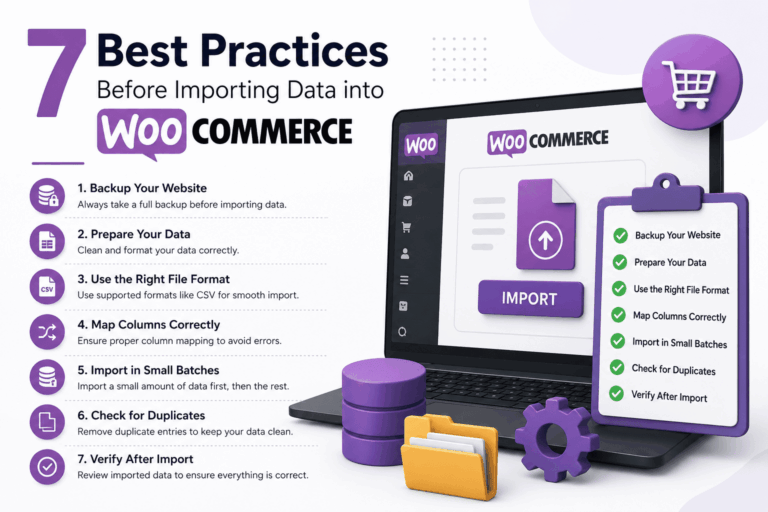
7 Best Practices Before Importing Data
- •
-
July 2, 2026
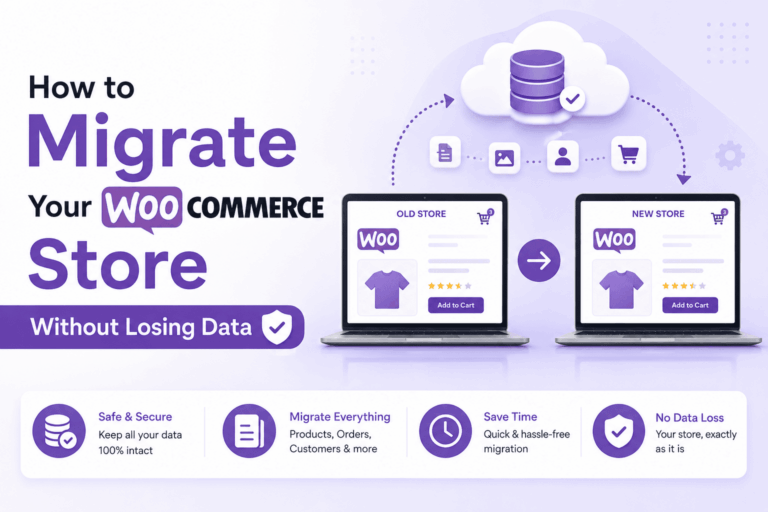
How to Migrate Your WooCommerce Store
- •
-
July 2, 2026